Neon tunnel music visualizer
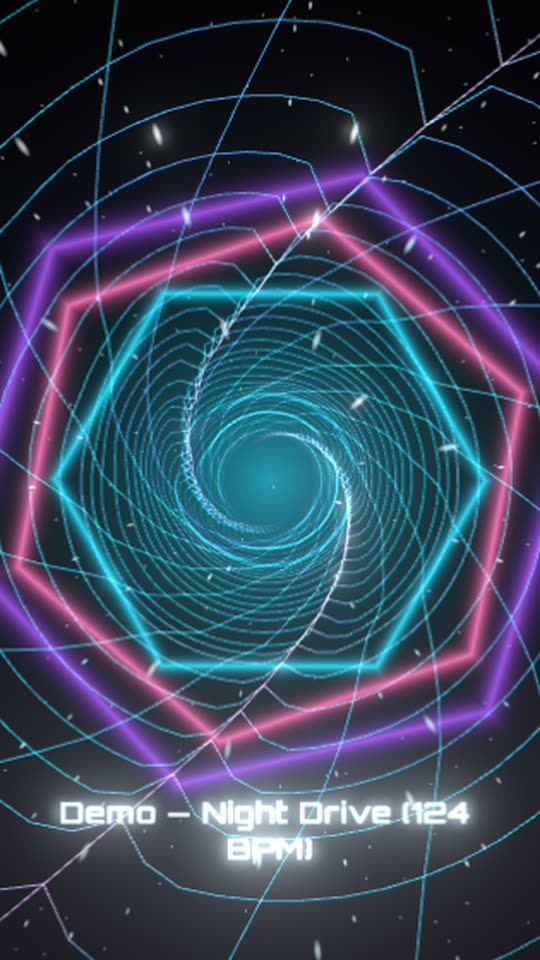
A 3D tunnel of neon rings rushes toward you. Its walls bulge with the bass, a hexagon portal spins at the far end and opens on the low notes, and every kick punches the frame with a zoom and an RGB split.
Free, no watermark. Runs in your browser, no account needed.
Rendered by WaveMotion from the demo song. No edits outside the studio.
Each part of the song moves its own piece
- Bassdrives the tunnel walls, and the size and flash of the portal
- Drumsdrives the zoom, the RGB split and the streaking stars
- Vocalsdrives the lyrics, if you add them
Upload separate stems (drums, bass, vocals and so on) and each one drives its own layer. With a single mix, the template reads the bass, mids and hits of the mix instead. Any reaction can be changed or relinked on the Audio tab.
Made for
Techno, trance and hard dance
Forward motion that matches a driving four-on-the-floor beat.
VJ loops
Export a long loop for a club screen or a stream overlay.
Drops and builds
The tunnel speeds up visually as the bass comes in.
Make it yours
- 1
Open the template and add your track.
- 2
Change the tunnel speed and twist on its Style tab.
- 3
Pick the portal shape (3 to 8 sides) and its spin.
- 4
Export.
Want the words on screen? The lyric video maker adds karaoke lyrics on top of this template.
In every template
- Stem-reactive
- Upload a full mix or separate stems. Any setting of any layer can follow the kick, bass, vocals or any other stem.
- Lyric videos
- Paste lyrics or an LRC file and the words light up as they are sung, in every template.
- Up to 4K
- MP4 export up to 3840×2160, from 24 to 60 fps.
- Four aspect ratios
- 16:9, 9:16, 1:1 and 4:5. Templates lay themselves out for each one.
- Free, no watermark
- No account, no credits and no logo on the export.
- Renders locally
- The video renders in your browser on your graphics card. Your audio is not uploaded.
Frequently asked questions
Yes. It is a 3D scene rendered on your graphics card in the browser, then composited with the other layers.
Yes. Hide or delete the Portal layer in the timeline.
A recent desktop browser. Chrome and Edge work best, because export uses the browser’s built-in video encoder.
Related templates
All templates →
Your next release deserves visuals that listen
Open the studio, drop in your track, and watch the first template react to it in seconds.